Voting
The two rounds
Section titled “The two rounds”- Round 1, finalist selection. Each judge picks the 5 finalists from everyone on stage.
- Round 2, ranking. Each judge puts those finalists in order, 1 to 5.
A round closes when every judge has submitted. The screen moves from round to round on its own, so there is nothing to navigate.
Round 1: pick your finalists
Section titled “Round 1: pick your finalists”Tap Start scoring on the dashboard when the category is on stage. The voting screen shows one card per competitor with the starting number they wear on stage.
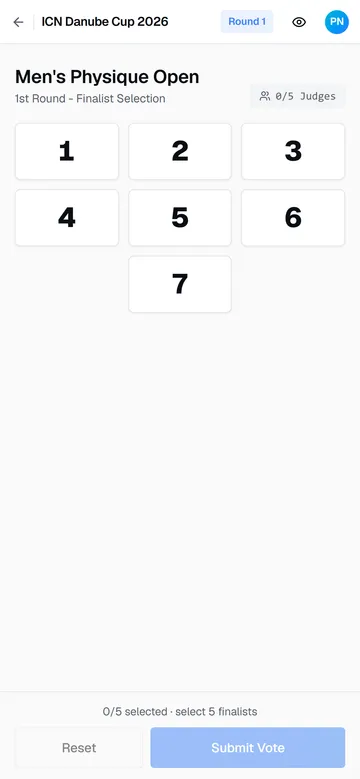
Tap the competitors you want in the final. Selected cards turn blue, and the bar at the bottom counts your picks. Reset clears them. You select exactly 5; the app blocks a sixth pick with a maximum selections reached notice.
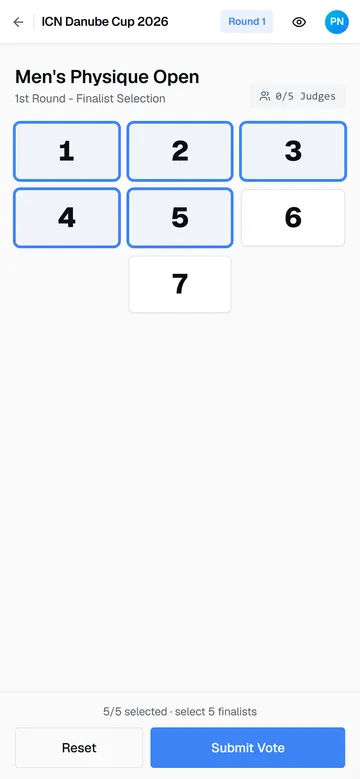
When your five are in, tap Submit Vote. The clip below shows the whole round:
The eye icon in the top bar toggles competitor names on the cards, if the organizer has enabled names for judges. By default you judge by starting number.
Waiting for the panel
Section titled “Waiting for the panel”
After submitting you see who on the panel has voted and who is still deciding. There is nothing to do here. When the last judge submits, the five most-selected competitors become the finalists and round 2 opens with a Round 2 notice.
Round 2: rank the finalists
Section titled “Round 2: rank the finalists”
The five finalists appear as rows. Drag them into your order, winner at the top. The colored badges show each row’s current rank. When the order is right, tap Submit Vote.
The app then takes you back to the dashboard for the next category.
How your ranking scores
Section titled “How your ranking scores”Placements come from the panel’s round-2 rankings. For each finalist, the single highest and single lowest rank received are dropped and the rest are summed; the lowest sum wins. An exact tie goes to the Head Judge’s order.
Guide version 1.0.18(sha-adb4952)