Getting started
Your role
Section titled “Your role”The Administrator account has full access: competition setup, registrations, payments, competition day, results. Everything happens in a normal web browser. There is nothing to install.
Other roles exist so you can delegate on the day. Admin Workers handle check-in and registration paperwork, the Commissar starts and finishes categories on stage, Judges vote from their phones, and the Moderator follows voting progress and announces results. The Administrator account can always do all of it directly.
Signing in
Section titled “Signing in”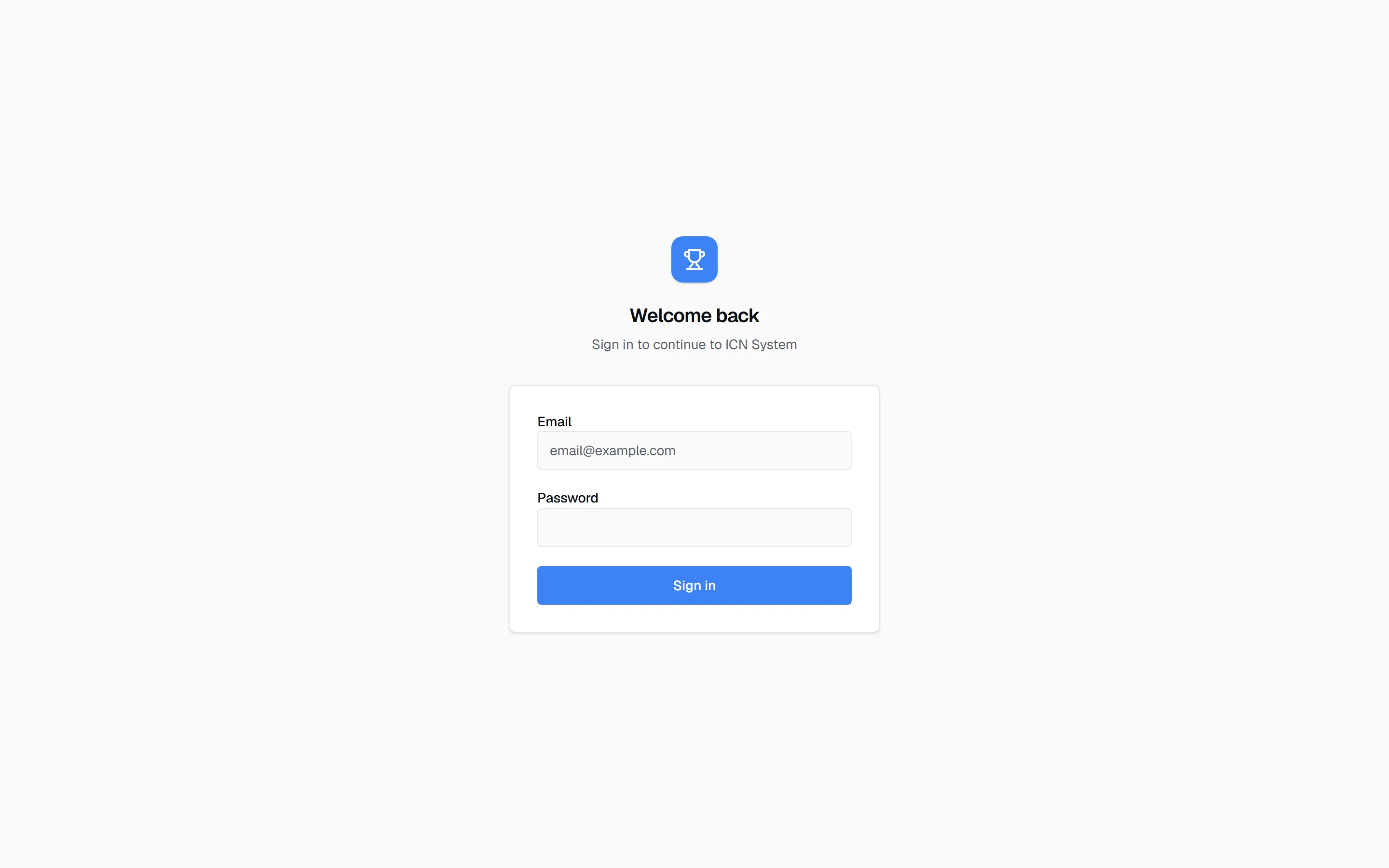
- Open your organization’s instance in a browser, for example
icn-system.eu. - Enter the e-mail address and password of your administrator account. Accounts are created per role by your ICN system operator; there is no self-registration.
- Press Sign in. You land on the competitions dashboard.
Signing out
Section titled “Signing out”The arrow icon in the top-right corner signs you out. It is the last item in the header, after the language switch, the light/dark toggle, and your account initials.
It is in the same place for every role, on every screen, phone and tablet included, so a judge handing a phone back, or a worker leaving a shared tablet at the desk, always signs out the same way.
Sign out whenever a device changes hands. Sessions are deliberately long-lived: a competition day runs longer than a normal working session, and nobody should be logged out mid-vote. That also means a session left open on a shared tablet stays open.
Passwords and when they change
Section titled “Passwords and when they change”Accounts are per role, not per person: one Judge account, one Commissar account, and so on, shared by whoever is doing that job at your show. You do not create an account per volunteer.
Because the accounts are shared, the system rotates their passwords for you at two moments:
- when a competition enters Presentation, the moment you open registration and the crew needs to sign in;
- when a competition is marked Finished, which retires the credentials the crew was using.
Each time, a dialog shows the new passwords once, with Download CSV and Print buttons to get them out of the screen before you close it. They are stored hashed and cannot be read back afterwards, but nothing is lost if you close too early: generate a new set under Users, or reset a single account there in a few seconds. You do not need your operator for either.
This is how access is taken away after a show. There is no per-volunteer account to disable, so finishing the competition changes the passwords instead, and yesterday’s crew can no longer sign in. It does not sign out a device that is already signed in, though. For that, use the sign-out arrow before the tablet leaves the venue.
Rotation is an administrator action. An admin worker can advance presentation into judging but cannot trigger either rotation point.
The whole routine, issuing the day’s credentials, resetting one that stopped working, and what rotation does and does not cover, is in Users and passwords.
The competitions dashboard
Section titled “The competitions dashboard”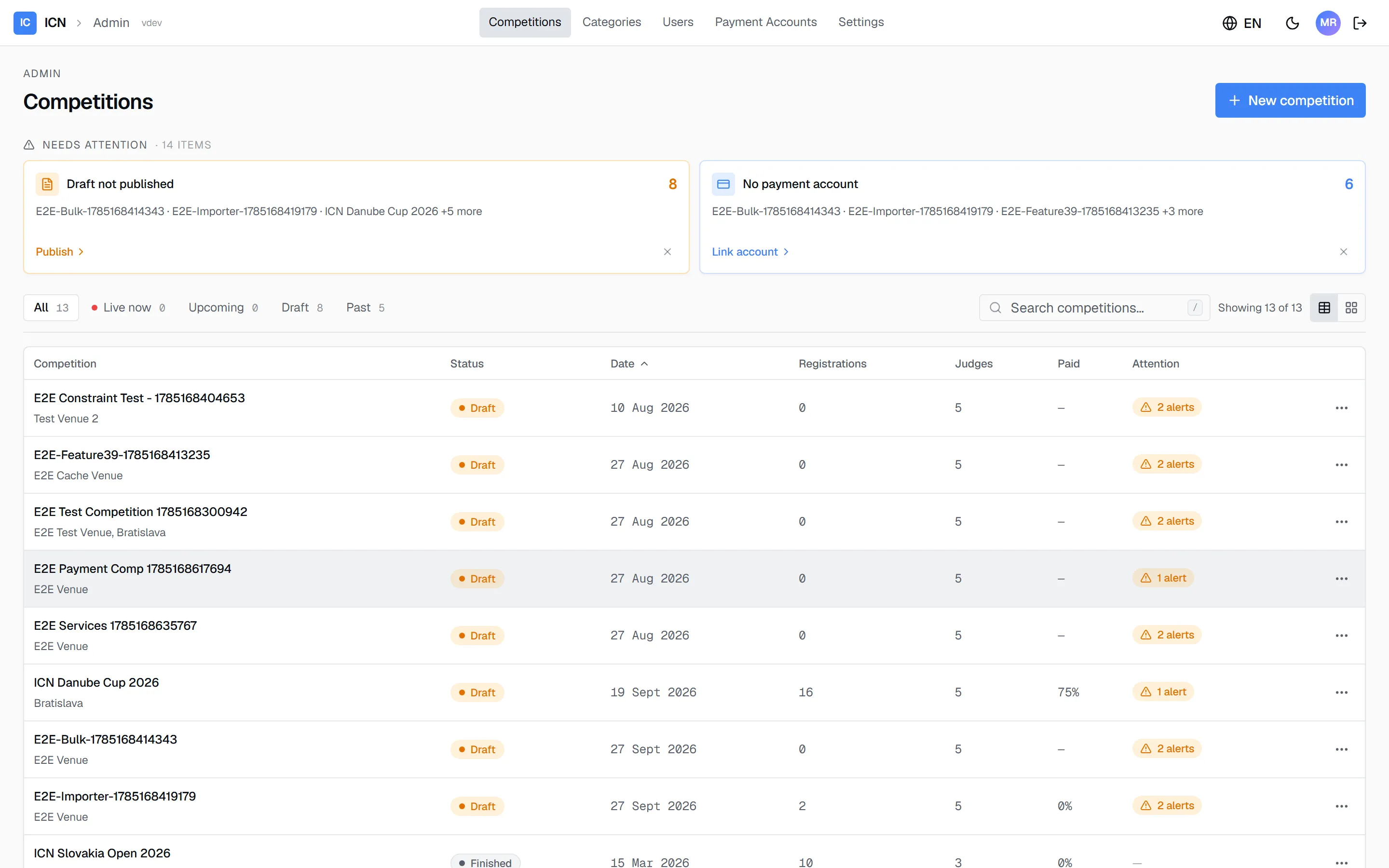
The dashboard lists every competition your organization has run or is preparing.
- Status tabs filter by All, Live now, Upcoming, Draft, and Past. A draft is a competition still in Created status; live competitions are running right now.
- Search filters by name. Press / to jump into the search box.
- Each table row shows the competition’s status, date, registration count, assigned judges, and how much of the entry fees has been paid.
- The Needs attention strip above the list surfaces open items, such as a draft that has not been published.
- New competition, top right, starts a new competition.
The top navigation also carries Categories (the shared category catalog), Users (role accounts and their passwords), Payment Accounts, and Settings. Day to day you work inside one competition; the catalog and payment accounts come up during setup.
One reading tip for the whole guide: click any screenshot to enlarge it.
Guide version 1.0.18(sha-adb4952)