Registrations, fees & payments
Registering competitors
Section titled “Registering competitors”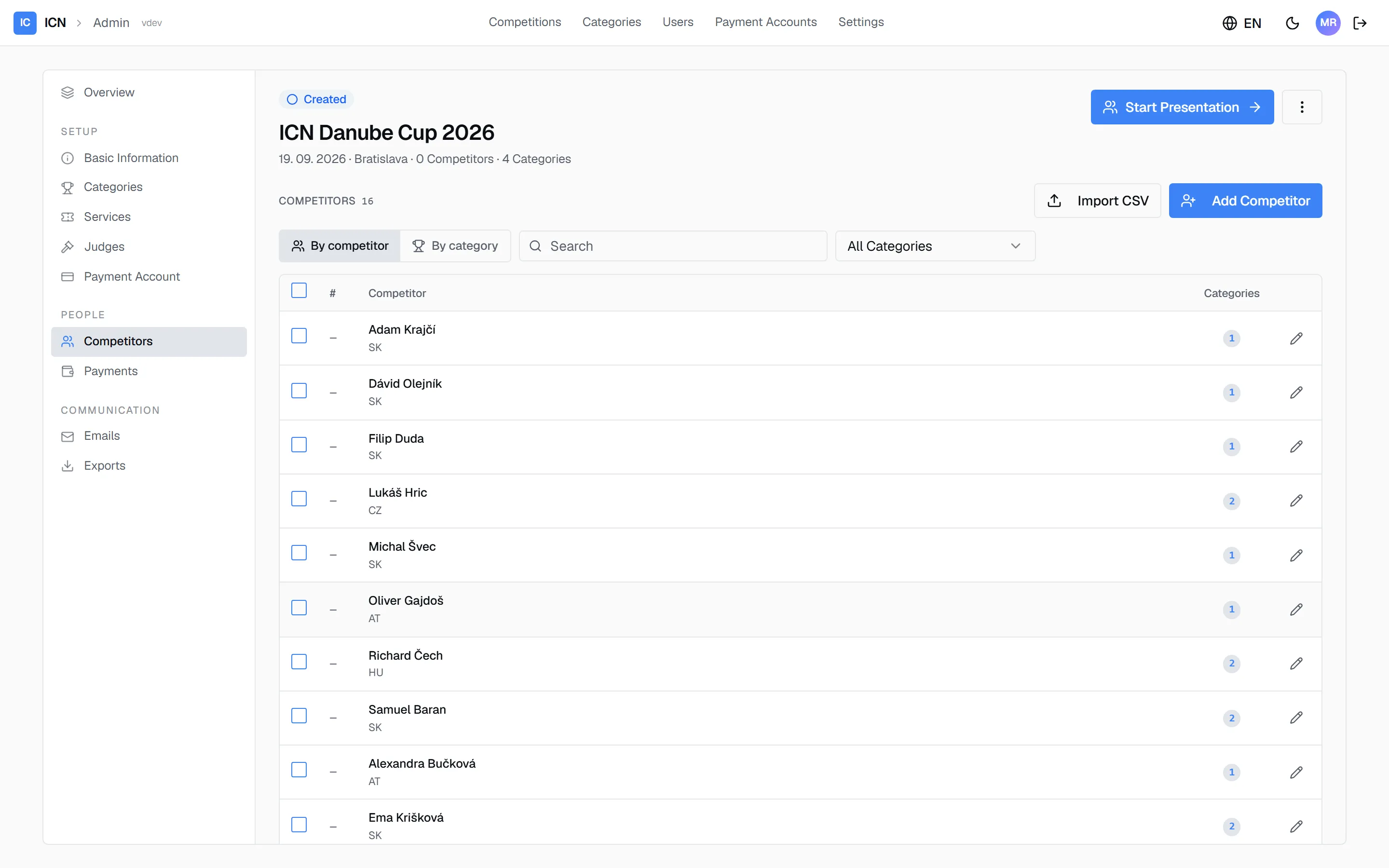
Open the competition’s Competitors pane. Each row is one athlete with their country and the number of categories they entered.
- Add Competitor registers one athlete by hand: name, e-mail, sex, categories. A competitor can enter several categories; fees stack by the tiers below.
- Import CSV registers a whole list at once and shows a preview before anything is written.
- The By competitor / By category tabs switch between one row per athlete and a per-category breakdown. The second view shows quickly whether every category has enough entries.
Editing a competitor
Section titled “Editing a competitor”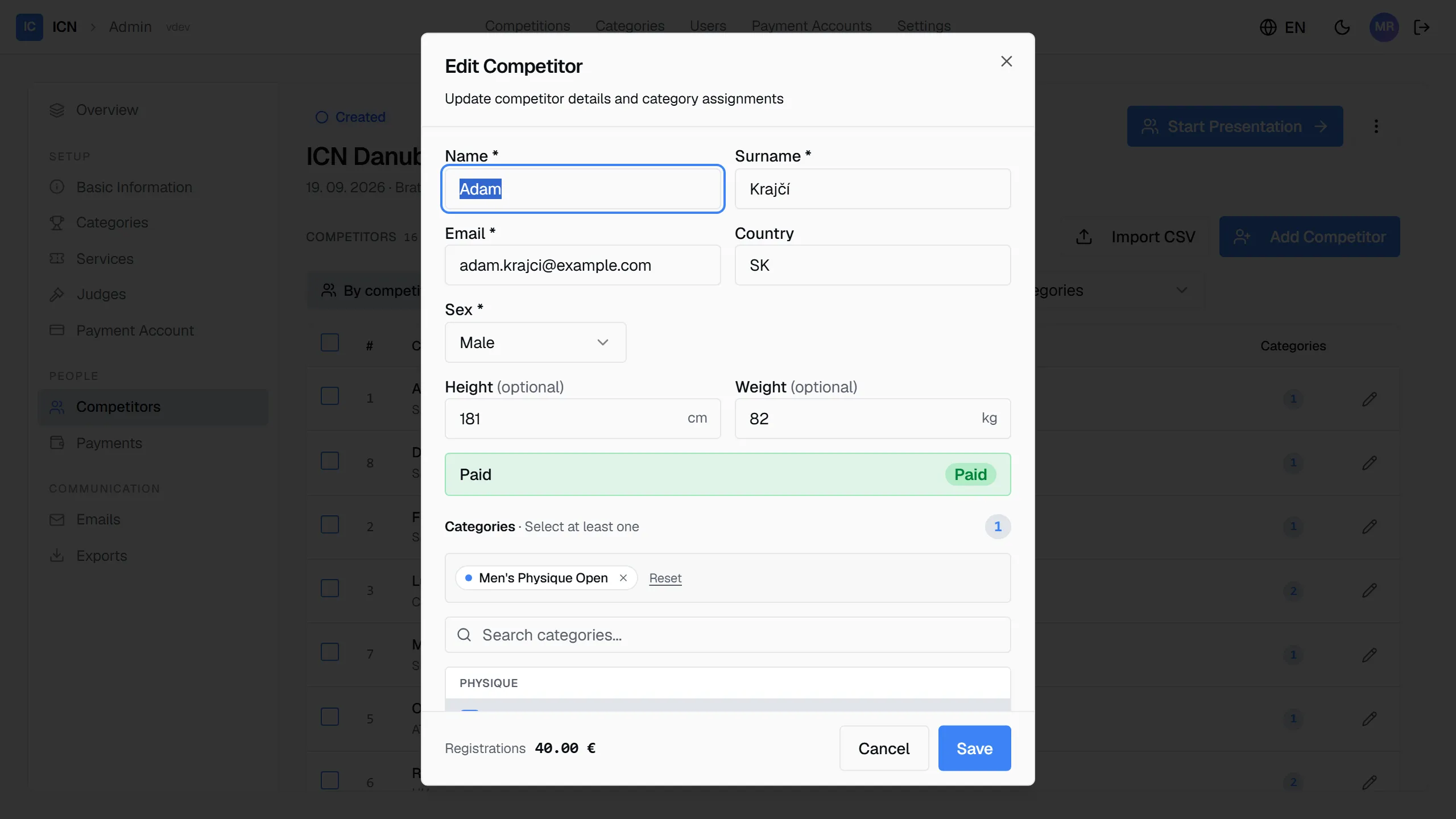
The pencil at the end of a row opens Edit Competitor. Everything about one athlete is in this dialog:
- Identity: name, surname, e-mail, country, sex.
- Height and Weight, both optional. A weight over a category limit shows a warning but can still be saved. The registration desk sees the same dialog during check-in.
- The payment state of their registration.
- Categories: the picker lists only categories that match the competitor’s sex, grouped by division, with a search box. Selected categories sit as chips at the top; removing a chip removes the entry. Changing the sex re-filters the list, so set sex before categories.
- Services, further down: tick the add-ons the competitor ordered.
Registrations at the bottom shows the competitor’s saved total. It does not change while you tick categories and services; it updates the next time you open the dialog after saving. Save writes everything at once.
Changing many competitors at once
Section titled “Changing many competitors at once”Every row has a checkbox, and the header checkbox selects all rows in the current view. Selecting anything raises a bar with the count and two actions:
- Assign service adds one or more services to every selected competitor in one step, the routine after an import when half the roster ordered tanning.
- Delete removes the selected competitors after a confirmation that lists them. It refuses competitors who already have recorded results.
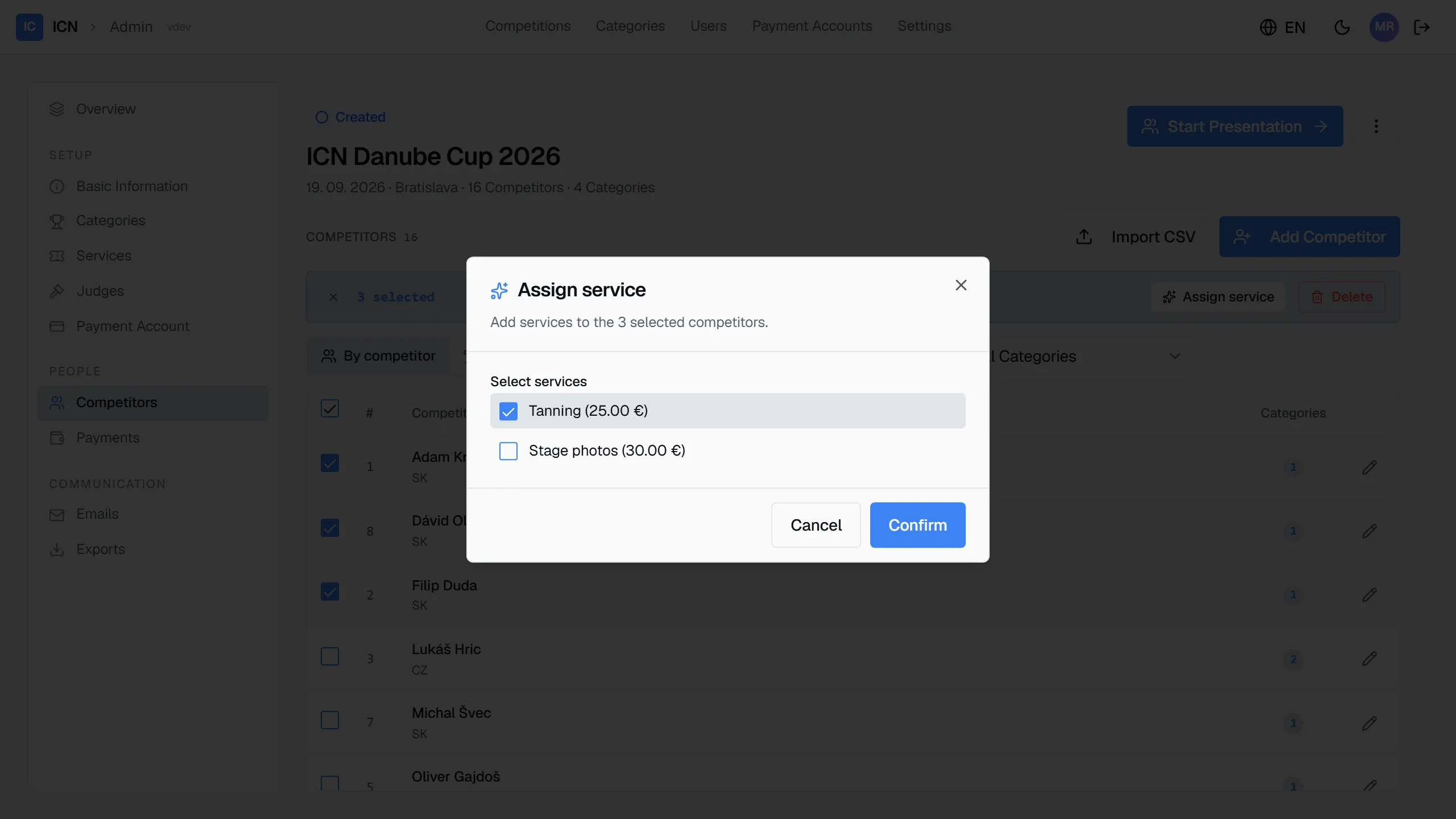
The selection survives filtering and sorting, so you can search, tick, search again, and apply one action to the whole set.
Entry fees & services
Section titled “Entry fees & services”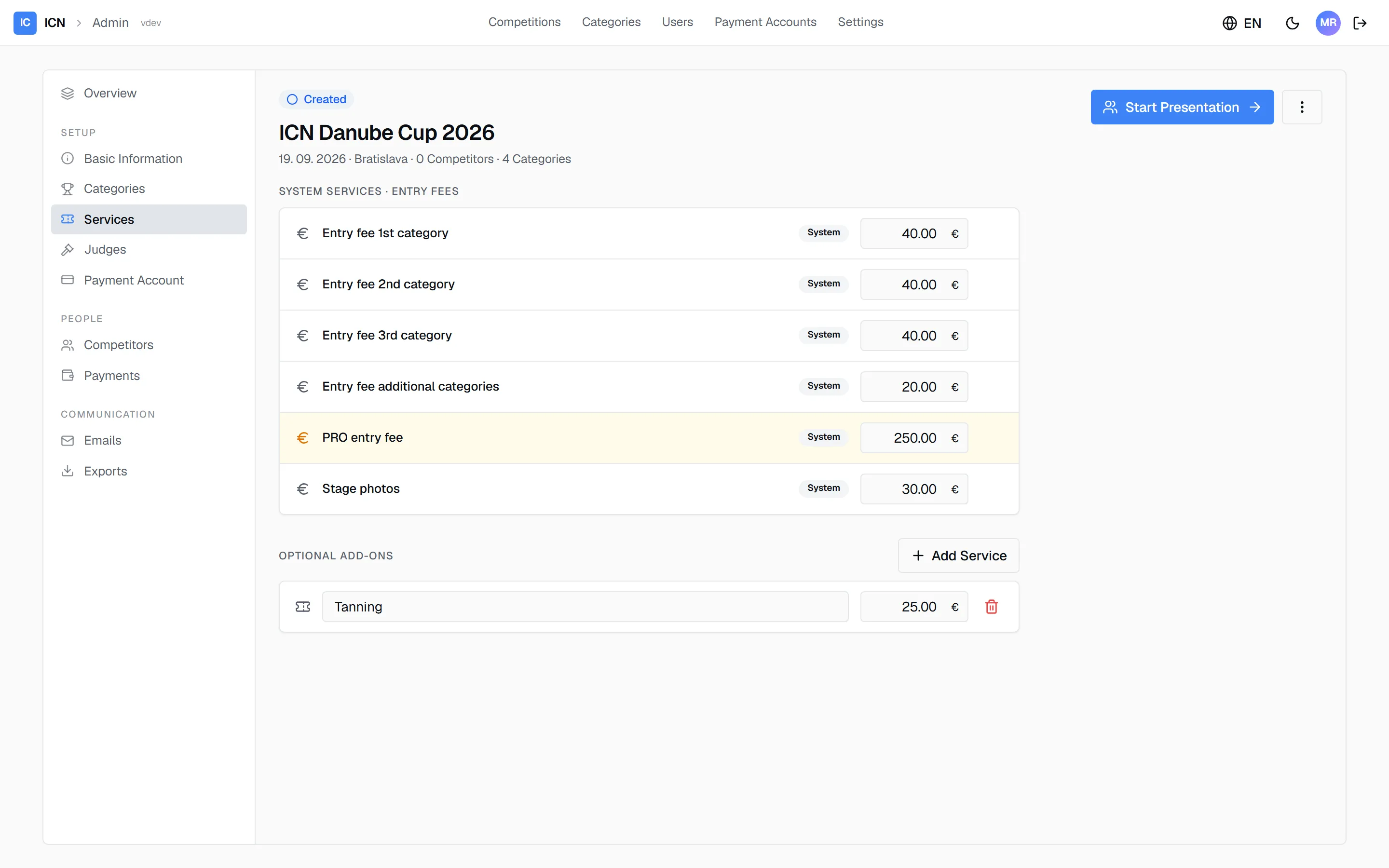
Every new competition starts with the standard fee tiers:
| Tier | Default |
|---|---|
| Entry fee, 1st category | 40.00 € |
| Entry fee, 2nd category | 40.00 € |
| Entry fee, 3rd category | 40.00 € |
| Each additional category | 20.00 € |
| PRO entry fee | 250.00 € |
A competitor’s total builds from these automatically: first category at the first tier, second at the second, and so on.
To change a price, type it into the field. Every price is already an input. The new amount saves as soon as you leave the field (click elsewhere, Tab, or Enter), and a short green ✓ appears inside it. Escape puts the old value back. There is no save button. This is the same behaviour as height and weight at the registration desk.
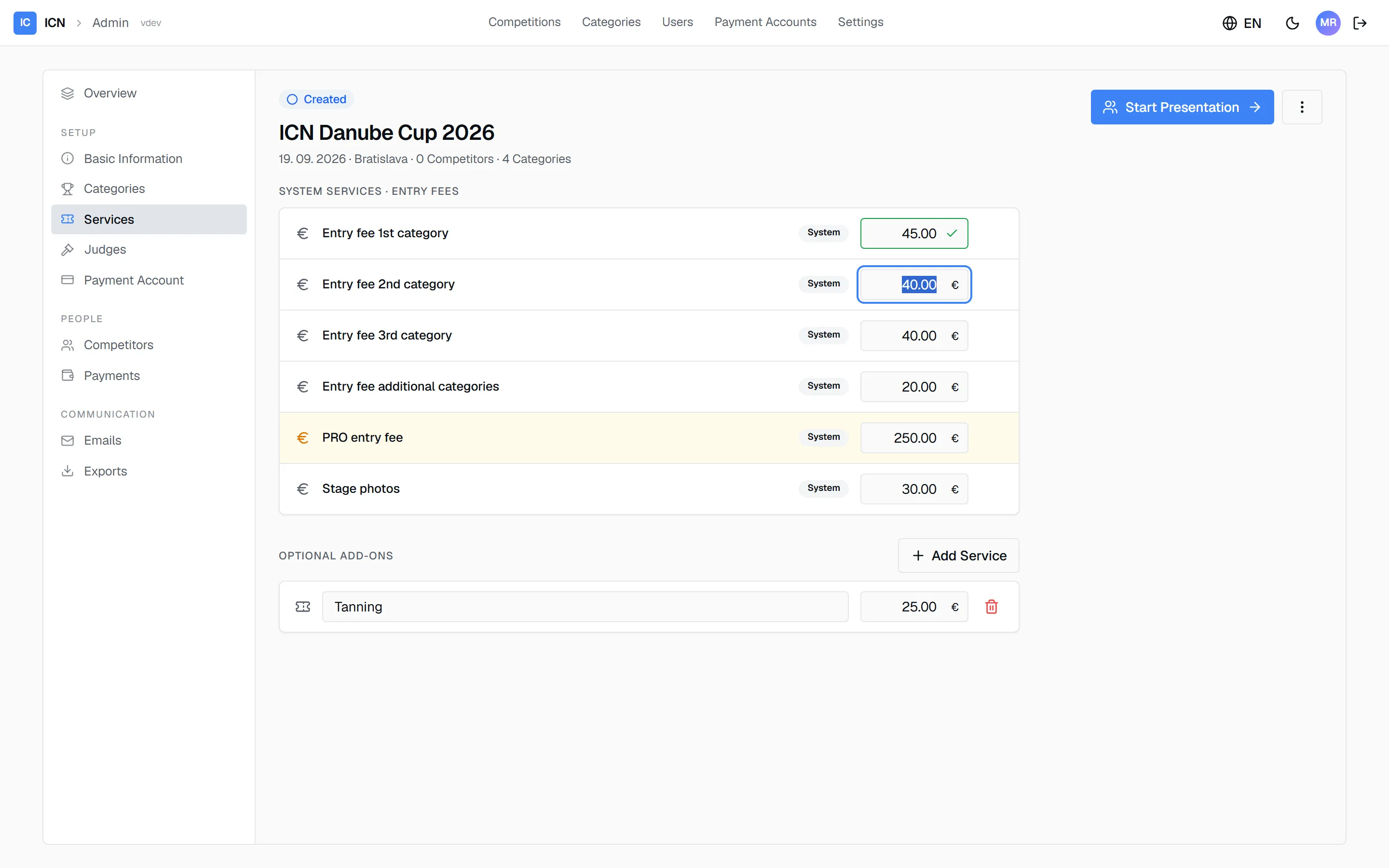
Prices are per competition, so a change here affects this show only and future competitions still start from the defaults above. The fee names are fixed and cannot be renamed; only their amounts are yours to set.
Add Service creates optional add-ons, tanning or photography for example, that competitors order on top. Those you can rename and delete: their name is a field too, saved the same way, and the bin at the end of the row removes them.
Tracking payments
Section titled “Tracking payments”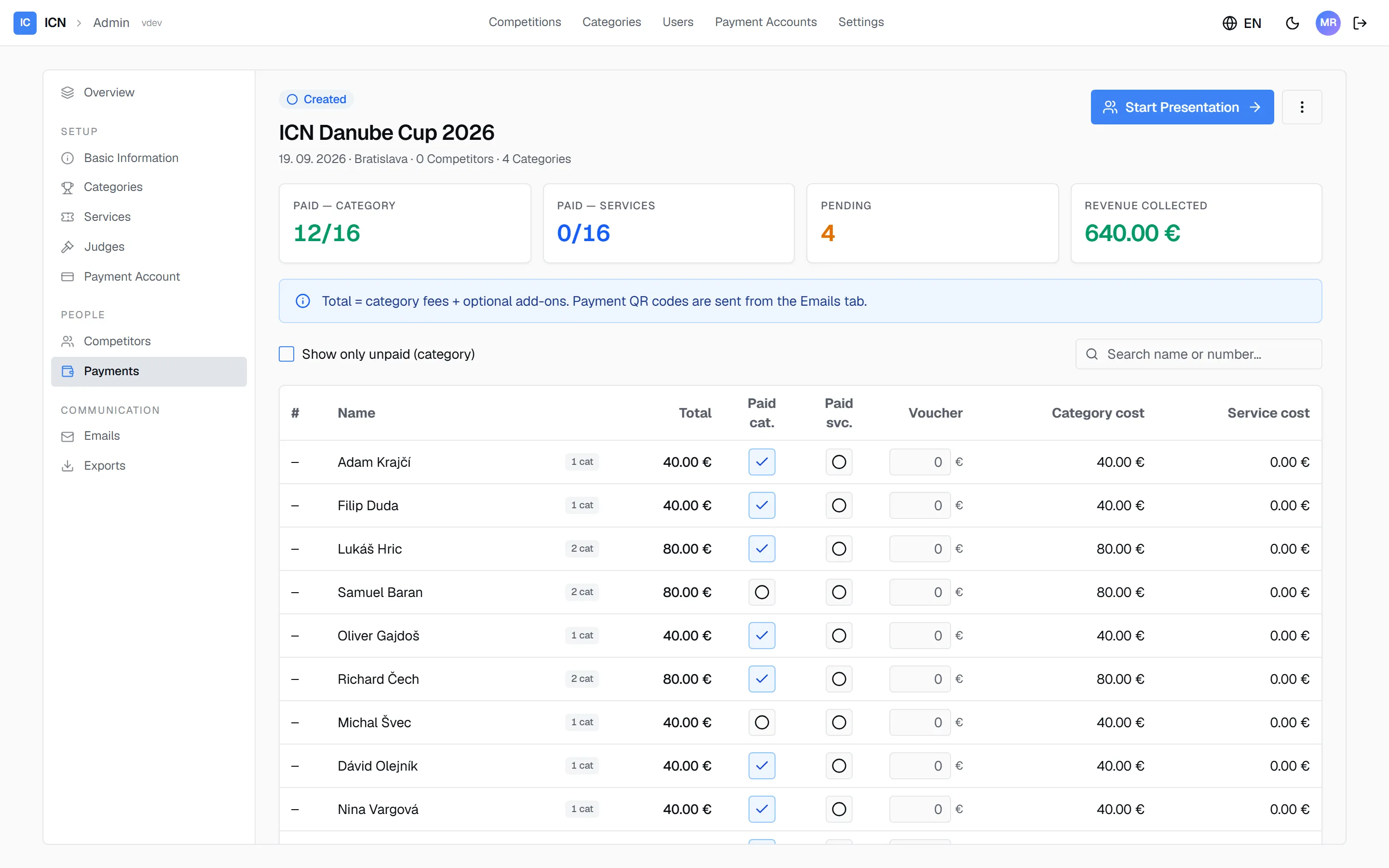
The Payments pane tracks the money.
- The counters at the top summarize category-fee payments, service payments, competitors still pending, and revenue collected.
- Each row shows a competitor’s total (category cost plus service cost) with separate check-offs for category fees and services. Tick them as money arrives.
- A voucher amount per competitor discounts their total.
- Show only unpaid filters to who still owes.
Payment QR codes for bank transfer go out from the Emails pane, using the account chosen under Payment Account. The overview’s Collect outstanding payments action leads here whenever fees are open.
Sending and re-sending
Section titled “Sending and re-sending”Send all unsent covers the normal case: everyone who has not yet received an e-mail gets one. To reach people who already have, use the selection tools instead.
- Search narrows the list by name, e-mail address or starting number.
- Any column header with a sort arrow reorders the table. Sorting by Sent at puts the most recent sends first, which is the quickest way to find a batch you need to repeat.
- The checkbox on each row adds that competitor to a selection, and the header checkbox takes everyone currently shown. Re-send selected then mails exactly that set.
- A selection is kept as you change the search, so you can search for one name, tick it, search for the next and tick that too. The counter in the blue bar always shows how many people the send will actually reach, including any who are hidden by the search box right now.
- Re-send all mails everyone currently shown, filters included.
Re-sending always asks for confirmation and tells you how many people it will reach, because anyone who already received an e-mail will get a second copy.
Guide version 1.0.18(sha-adb4952)