Categories & judges
How categories work
Section titled “How categories work”Categories are not typed in by hand. The system ships the shared ICN category catalog: men’s and women’s divisions across bodybuilding, physique, classic physique, bikini fitness and more, each with age and experience classes. A competition picks which catalog categories it runs and in what order. Competitors are then registered into those categories.
The catalog itself is managed under Categories in the top navigation. Inside a competition you only choose and order.
Adding categories and the running order
Section titled “Adding categories and the running order”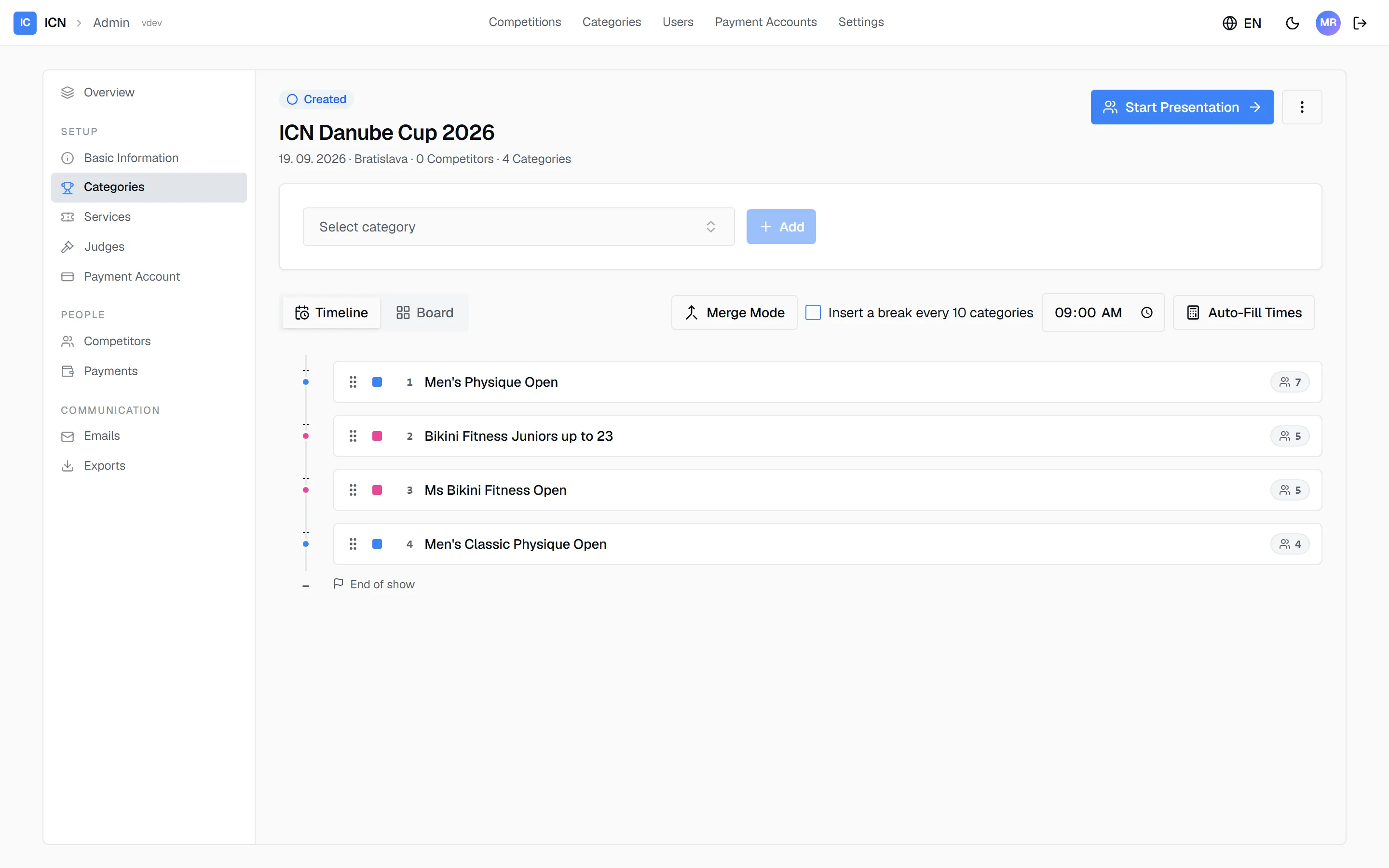
- Open the competition’s Categories pane.
- Pick a category in Select category and click Add. Repeat for every category you run.
- Drag the rows into stage order. This list is the show schedule: the number on the left is the running order, the colored dot is the division’s sex, and the count on the right is the category’s current registrations.
Changes save automatically. There is no save button on this pane. The indicator in the toolbar tells you when a change has been written, and Undo reverses the last reorder.
Timeline and Board are two views of the same schedule; pick whichever you prefer, your choice is remembered.
Setting stage times
Section titled “Setting stage times”Times are what the stage crew, the moderator, and the printed running order all work from. There are two ways to set them, and they combine.
Let the system calculate them. Put your first category’s start time in the Start time box, then press Auto-Fill Times. Every category gets a time, stacked from that start using the length its size implies:
| Competitors in the category | Time allowed |
|---|---|
| 1-5 | 7 minutes |
| 6-8 | 8 minutes |
| 9-12 | 12 minutes |
| 13 or more | 15 minutes |
Fifteen minutes is the ceiling; a category of forty gets the same fifteen as a category of thirteen.
Or type a time yourself. Every row has its own time field. Click it and set the time directly. Use this to pin a category that has to happen at a fixed moment, then auto-fill around it.
Re-running Auto-Fill Times recalculates everything from the start time again and overwrites times you typed by hand, so do your manual pinning last.
Times are estimates for planning, not a clock the system enforces. On the day, the commissar starts and finishes each category by hand, and the stage screens show how far ahead or behind the schedule has drifted.
Inserting breaks
Section titled “Inserting breaks”Tick Insert a break every 10 categories. That adds a 15-minute break after every tenth category, both to the times that Auto-Fill Times produces and to the printed schedule in the PDF export.
The interval and the length are fixed: every ten categories, fifteen minutes. If your show needs a break somewhere else, or a longer one, leave the box unticked and set the times of the categories after the break by hand.
The setting belongs to the competition, so it stays as you left it, and re-running the auto-fill keeps honoring it.
Merging under-filled categories
Section titled “Merging under-filled categories”Two competitors in one class and three in another is a common problem on the morning of a show. Merge Mode folds them into one category.
-
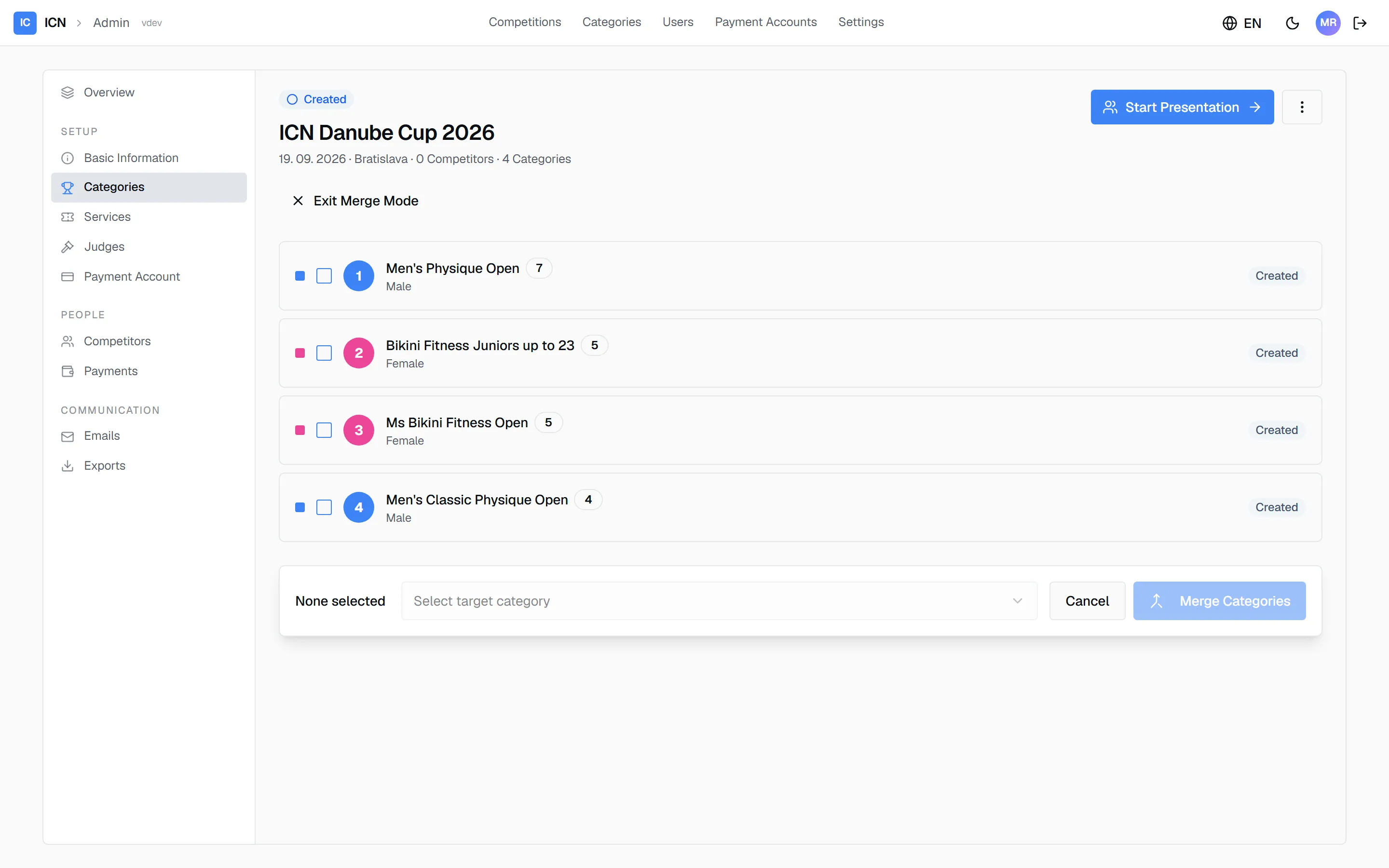
Press Merge Mode. The Timeline/Board toggle and the add-card disappear while it is active, because merging is the only thing you can do until you leave.
-
Tick the categories to merge.
-
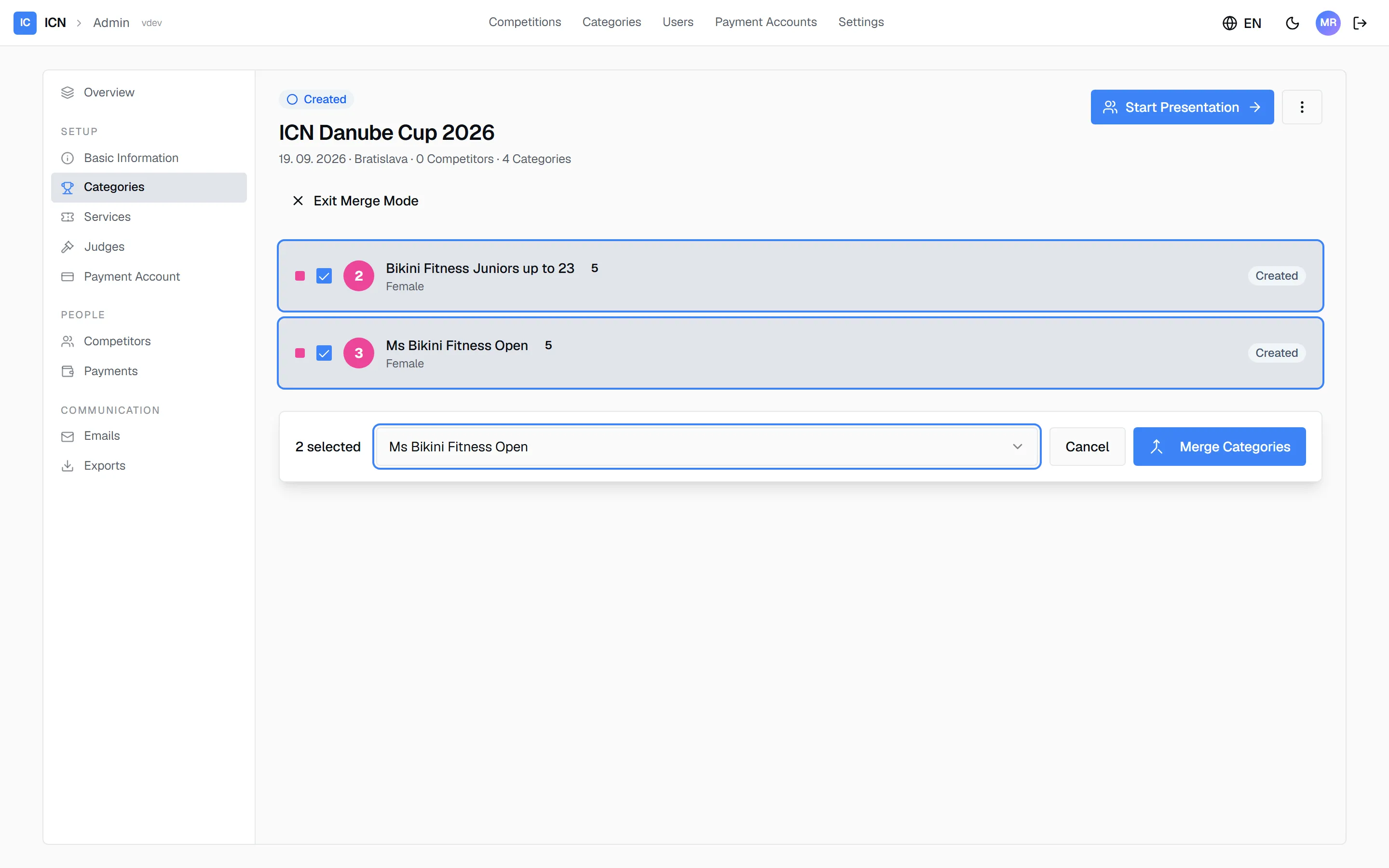
Choose which one they merge into. That category keeps running; the others are removed.
-
Confirm. Every competitor from the other categories is moved into the one you kept.
-
Press Exit Merge Mode.
Three rules the system enforces, so a mistake is refused rather than half-applied:
- Same sex only. A men’s category and a women’s category cannot be merged.
- Not yet started. Once a category is in progress, finished, or cancelled it can no longer be merged.
- Same competition. Categories from two different shows never combine.
Merging moves registrations; it does not delete competitors. But it cannot be undone. The categories you merged away are gone from the competition, and putting them back means adding them again and re-registering their competitors. Merge once the field is final.
Assigning judges
Section titled “Assigning judges”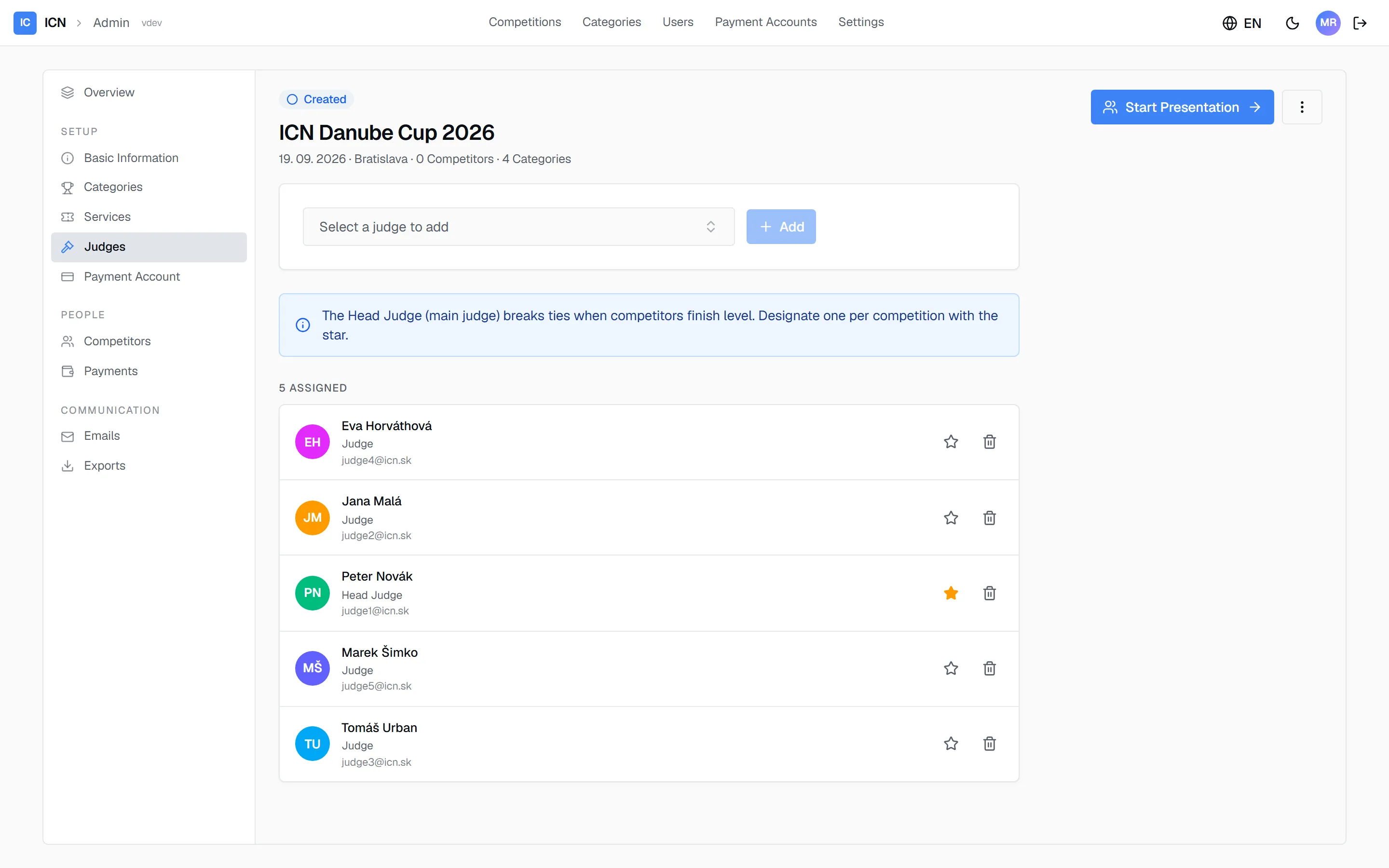
- Open the Judges pane.
- Pick each judge in Select a judge to add and click Add. Judges are role accounts, one per judging seat, created for your organization by your ICN operator. If a seat is missing from the list there is no way to add it yourself, so ask them. See Users and passwords.
- Mark exactly one judge as Head Judge with the star.
The Head Judge matters for scoring: when two finalists end up exactly level, the Head Judge’s ranking decides the placement. Everything else about their voting is the same as any judge.
There is no fixed panel size. Assign as many judges as your show uses; five and seven are common. Scoring adapts, because the highest and lowest rank each finalist receives are dropped before summing.
Guide version 1.0.18(sha-adb4952)