Results & exports
Viewing results
Section titled “Viewing results”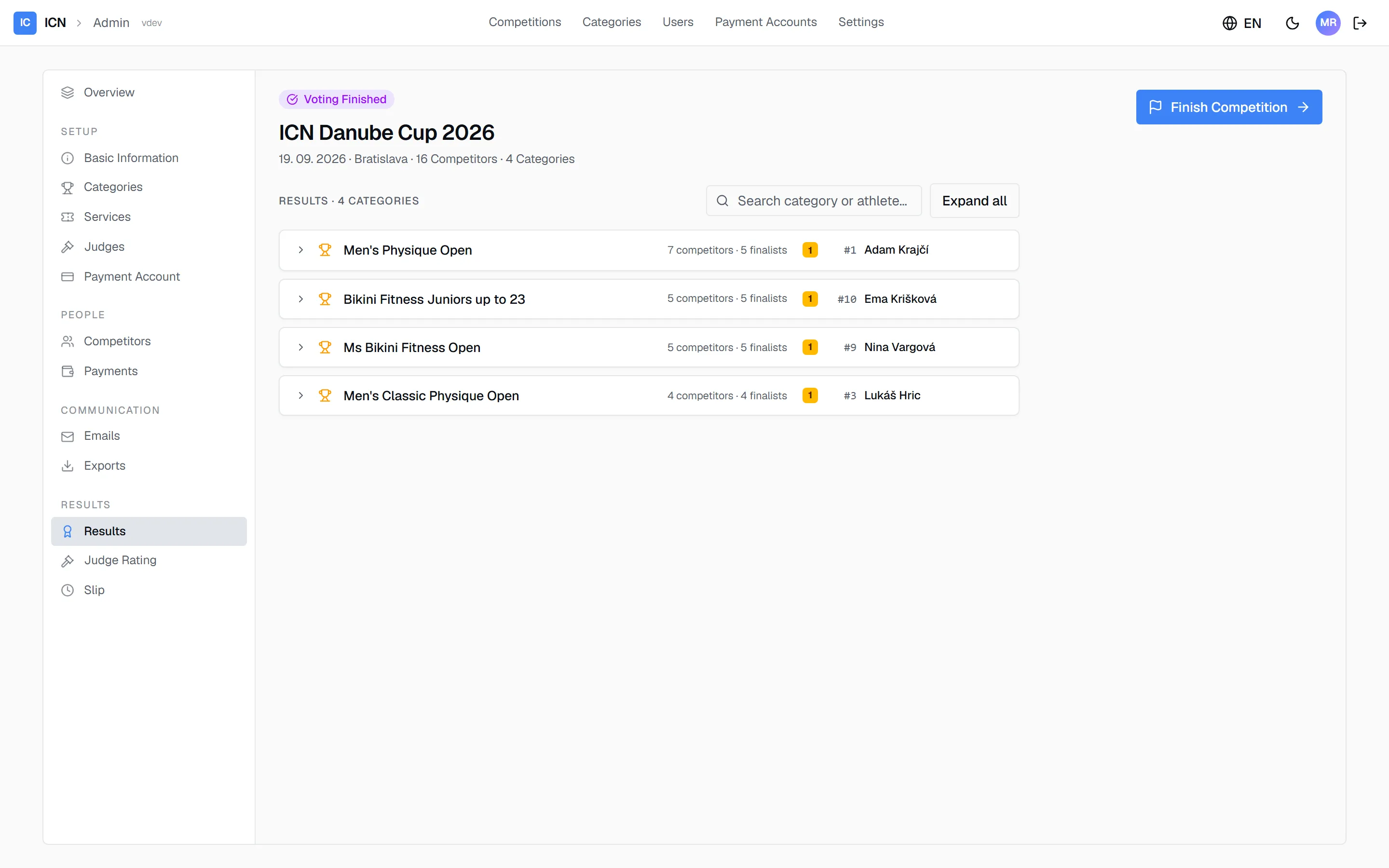
Once voting has finished, the Results group appears in the left rail. The Results pane lists every category with its winner. Expanding a row (or Expand all) shows the full placements; the search finds a category or an athlete by name.
How a placement is computed: judges rank the five finalists of each category in round two. For every finalist, the single highest and single lowest rank received are dropped and the rest are summed. Lowest sum wins. An exact tie goes to the Head Judge’s order.
The Moderator sees the same numbers for announcing on stage. Nothing needs to be exported to read results out.
Finishing the competition
Section titled “Finishing the competition”When the last category is done, click Finish Competition in the header. The competition moves to Finished and becomes read-only; a lock banner appears on every pane. Finished results are the official record. If a correction is genuinely needed, an administrator can Reopen for editing from the same banner, fix the issue, and finish again.
Exports
Section titled “Exports”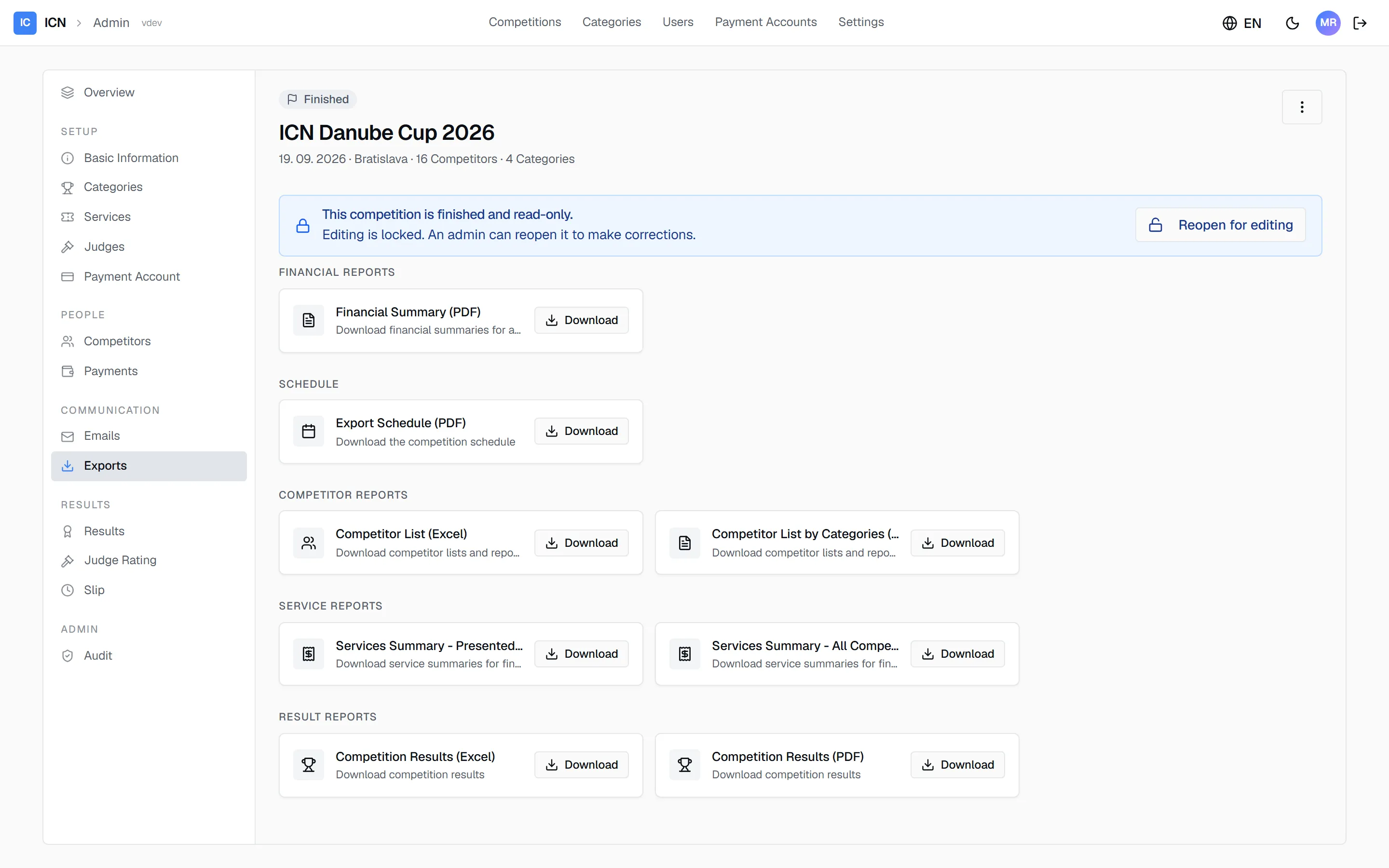
The Exports pane collects every document the competition produces.
- Result reports. Competition Results (PDF) is the full results book, ready to print. Competition Results (Excel) carries the same data as a spreadsheet.
- Financial reports. A summary of entry fees and services.
- Schedule. The category running order as a printable PDF.
- Competitor reports. Competitor lists, plain and grouped by category (Excel).
- Service reports. Summaries of ordered add-on services.
Every export is a one-click download. Result exports become available once results are final.
Guide version 1.0.18(sha-adb4952)